Now on the App Store

Walk the site. Talk. It's written.

Architect Walkthrough turns a site visit into finished correspondence: site reports, living punch lists, client updates and quick photo questions, sent from your own phone before you're back at the desk. Your brand on every page.

How it works

The visit is the work. The write-up is free.

01

Walk and talk

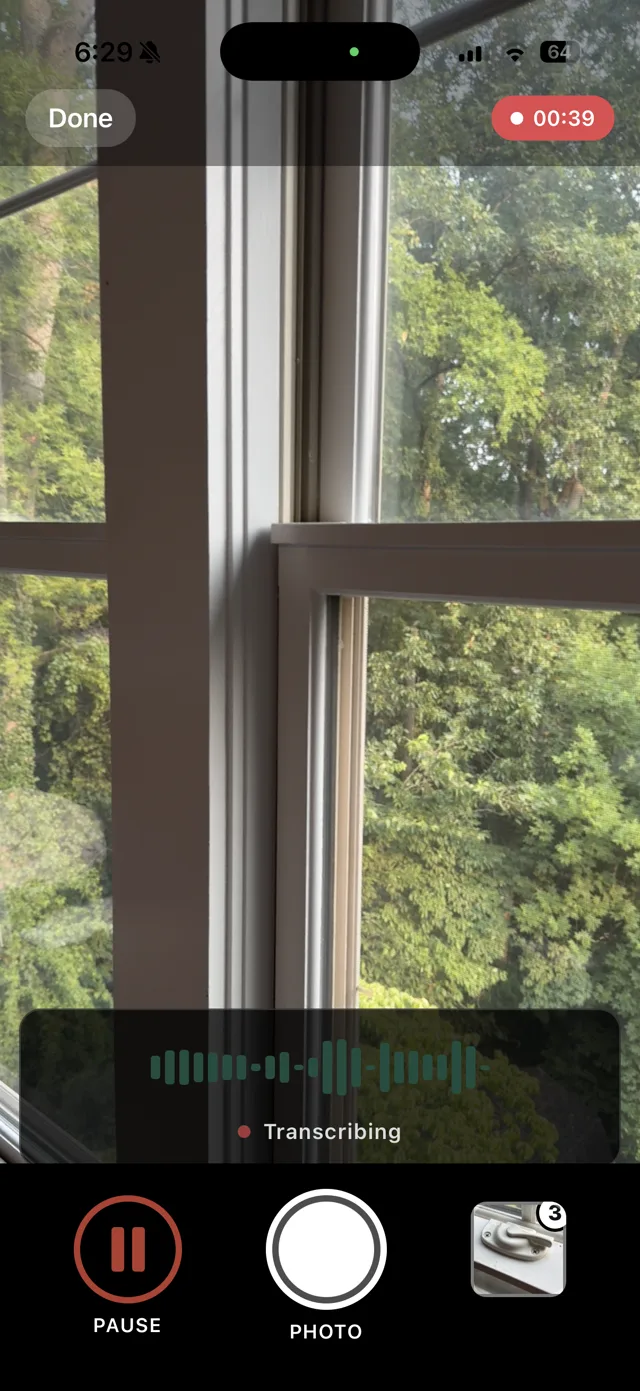
Open the project, pick what you need and speak as you go. Photos attach as you take them; describe an item with the camera up and the photo lands on that item.

02

Review and edit

The app drafts the document in your words, at your level of certainty. Open it, fix a name or a phrase if you want. You are the author; the app is the drafter.

03

Send and file

Text or email the PDF from your own phone, in the thread people already read. It files itself to your Google Drive or Dropbox project folder at the same time.

Five capture types

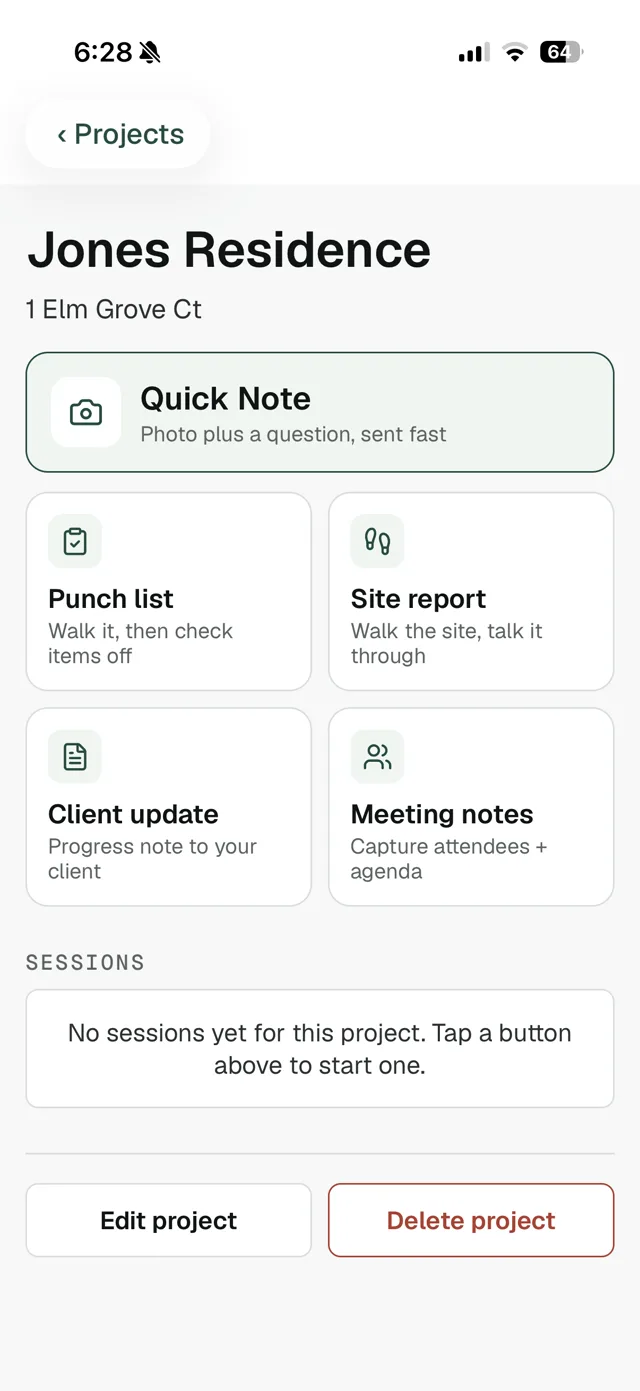
One tap for whatever the visit calls for.

Every document comes back branded, editable and ready to send. Same flow every time: talk, review, send.

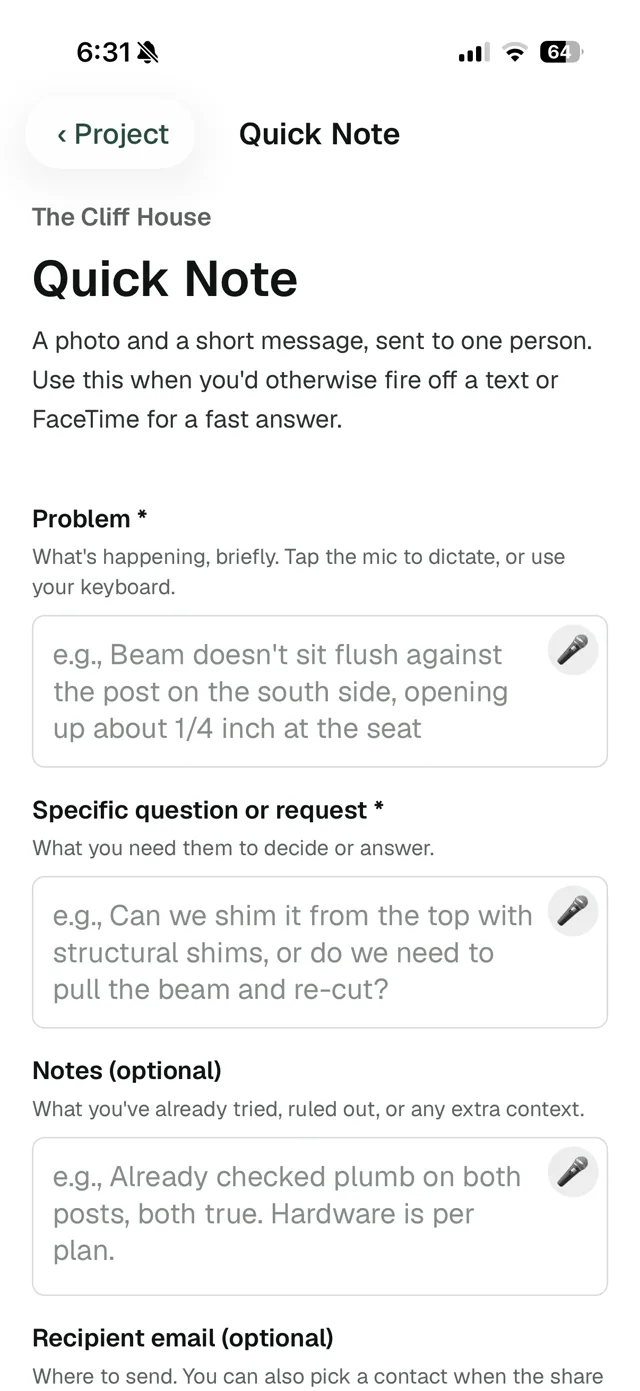
Quick Note

A photo plus a question, sent in a minute and on the record.

Punch list

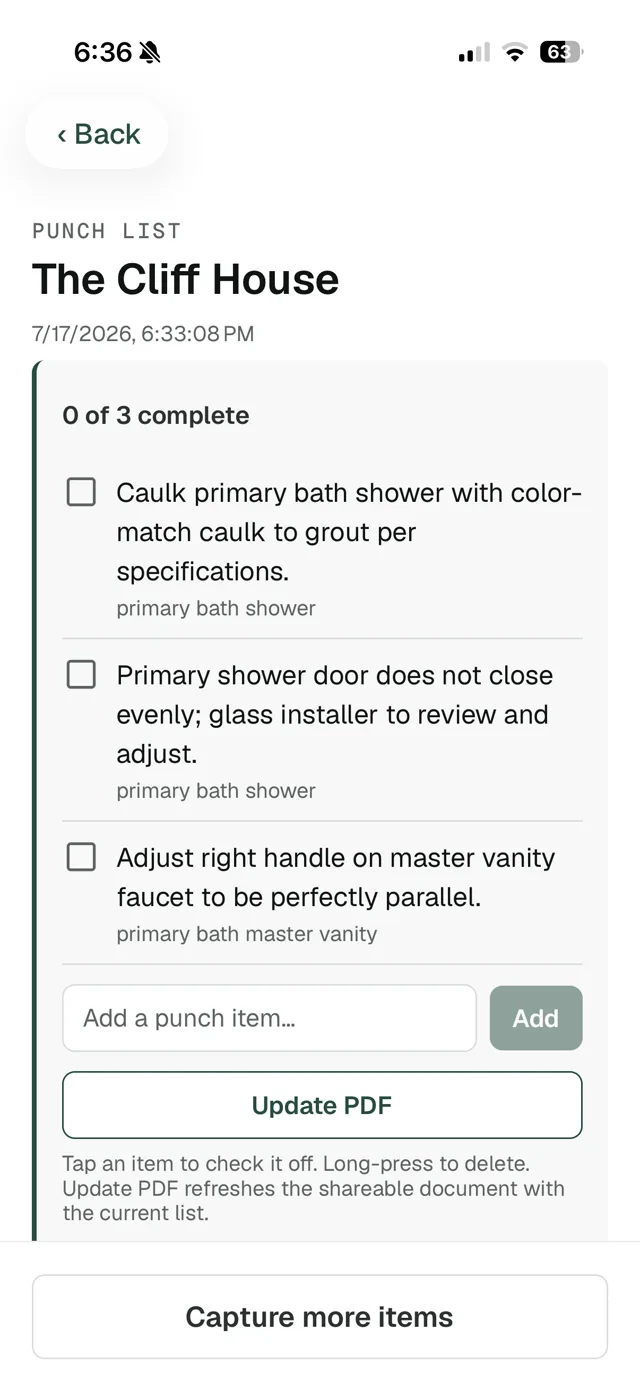
A checklist that stays alive across visits.

Site report

Observations tagged action, question or note, with a needs-response summary.

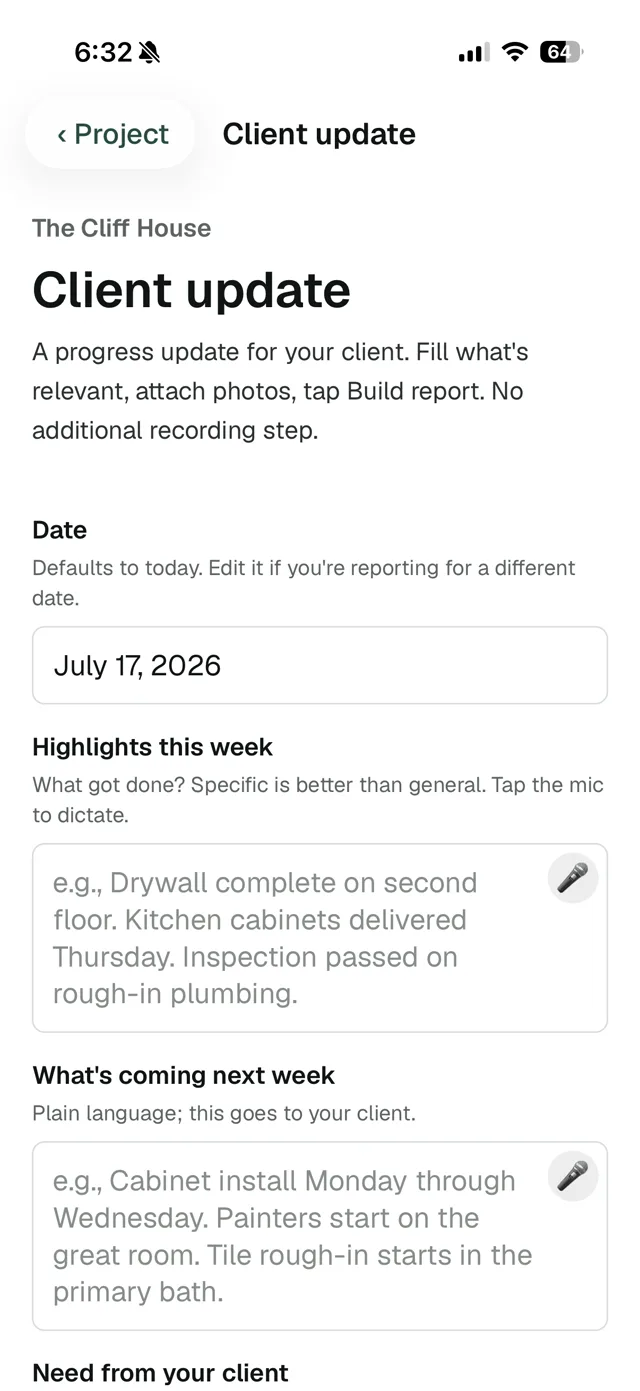
Client update

A progress letter your client can actually read.

Meeting notes

Who was there, what was decided, who owes what.

In action

Two minutes on site, start to sent.

A real client update, recorded on an iPhone and played back at 4x. Dictate the week, mark up photos, build the letter, ready to send.

Real screen recording · 4x speed

The punch list

A punch list that lives on.

  • Walk the space and call items out. A photo taken while you describe an item attaches to it, so the contractor sees exactly what you meant.
  • Check items off on later visits, even with no signal. They sync when you're back in coverage.
  • Tap Update PDF and everyone holding the earlier link sees the current list. The contractor always works from the live version, watching it shrink.
  • Next visit, capture more. New items append to the same list without disturbing what's already checked off.

The difference

Built for how architects actually work.

Your studio's brand, not ours.

Your logo in the header, your accent color, your voice in the prose. Contractors, clients and consultants see your studio on every page. Leave our name out entirely; there's no watermark to earn your way out of.

Nothing for anyone else to log into.

Documents send from your own phone as a text or email, in the thread people already read. They open a PDF. No portal, no accounts, no "click here to view."

Built to keep your certainty level.

Field reports carry professional weight, so site reports are drafted under a strict rule: never upgrade an observation. "Appeared complete" stays "appeared complete," not "inspected" or "approved." And you review every document before it sends, so the words that go out are yours.

Built for dead zones.

Site reports and punch lists transcribe on your phone, not in the cloud, so recording works with no signal. Photos and check-offs queue up and sync themselves when coverage comes back.

The lag

The write-up, with and without the deferral.

Notes and a follow-up emailArchitect Walkthrough
When it's writtenThat evening at your desk, or three days later when the visit is a blurOn site, while you're still standing in it
What the contractor getsA long email to scroll pastA numbered PDF in the text thread they already answer
The punch listA new frozen PDF every visitOne living list that shrinks as items are checked off
Your photosSomewhere in the camera rollAttached to the item they document, filed to the project folder

Why this exists

Made by the builder on the other side of your reports.

Lock Ten Studio is run by the co-owner of a custom home building company outside Washington DC. Builders live downstream of architects' field notes: the punch list that arrives a week late, the observation that never got written down at all.

So he built the field-report tool he wished the architects on his jobs carried. The same engine runs his builder crews' reports every week; this is the version shaped for the architect's side of the visit.

Pricing

One price. Everything included.

$19.99
per month
  • First three sent reports free
  • No credit card to start
  • All five capture types, meetings included
  • Or $199.99 a year (about $17 a month)

Billed through your Apple account. Cancel anytime in your Apple subscription settings; access runs through the period you've paid for. Drafts never count against the trial; a report counts when you send it or save it to your cloud folder.

Priced for a solo studio, not an enterprise seat license. If it saves you one evening of typing a month, it has paid for itself.

Built for

Who it's for.

  • Solo architects and small studios who do their own site visits
  • Building and residential designers documenting jobs for clients and contractors
  • Construction administration visits that need an observation record the contractor can act on
  • Anyone retyping handwritten field notes at the desk at nine at night

Not built for big-firm CA departments that want plan annotation, portals and seat licenses. There are platforms for that. They're not us.

Questions

Things architects ask.

Do my contractors or clients need the app?

No. They get a text or email from you with a PDF attached. They open it. That is the whole experience on their end. No portal, no account, no password.

Can I edit a document before it sends?

Yes. Every document is editable before it goes anywhere. The app drafts; you are the author. Nothing sends until you send it.

Will it overstate what I saw?

It's built not to. Site reports follow a strict faithfulness rule: hedges stay hedges, and an observation is never upgraded to inspected or approved. And you review and can edit every document before it goes anywhere, so nothing leaves in words you haven't approved.

Does my audio go to the cloud?

For site reports and punch lists, speech is transcribed right on your phone. Your audio never leaves the device, and it keeps working with no signal. Recorded meetings are the exception: that audio is uploaded for transcription, because meetings are long and have multiple speakers.

Where do photos and documents go?

If you connect Google Drive or Dropbox, finished documents and photos save straight into a folder for that project. If you don't, everything stays in the app under the project and the Share button still works.

How does sign-in work? I don't want another password.

You enter your email. We email you a six-digit code. You type it in. You're signed in. No password to remember or reset.

How does the free trial work?

Your first three sent reports are free, no credit card. A report only counts against the trial when you actually send it or save it to your cloud folder, so drafts and experiments are free. After that, it's $19.99 a month or $199.99 a year through your Apple account.

Is this the same app as Walkthrough for builders?

Same family, different tool. Walkthrough: Site Reports is built for builders running their own jobs. Architect Walkthrough is built for the architect visiting those jobs: site reports, living punch lists and client updates, written in an architect's voice.

Does it work on Android?

iOS first. Android is on the roadmap; if that's the version you're waiting for, email info@lockten.ai and tell us, it genuinely moves the priority.


Now on the App Store

The next site visit could leave with the paperwork done.

Download Architect Walkthrough and send your first three reports free, no credit card. The paperwork is done before you leave the site.

Download on the App Store