
Walk the site. Talk. Send.
Site reports for builders. No portal. No logins for your subs. Photos to your own Google Drive or Dropbox. Three free reports to try it, every feature unlocked.
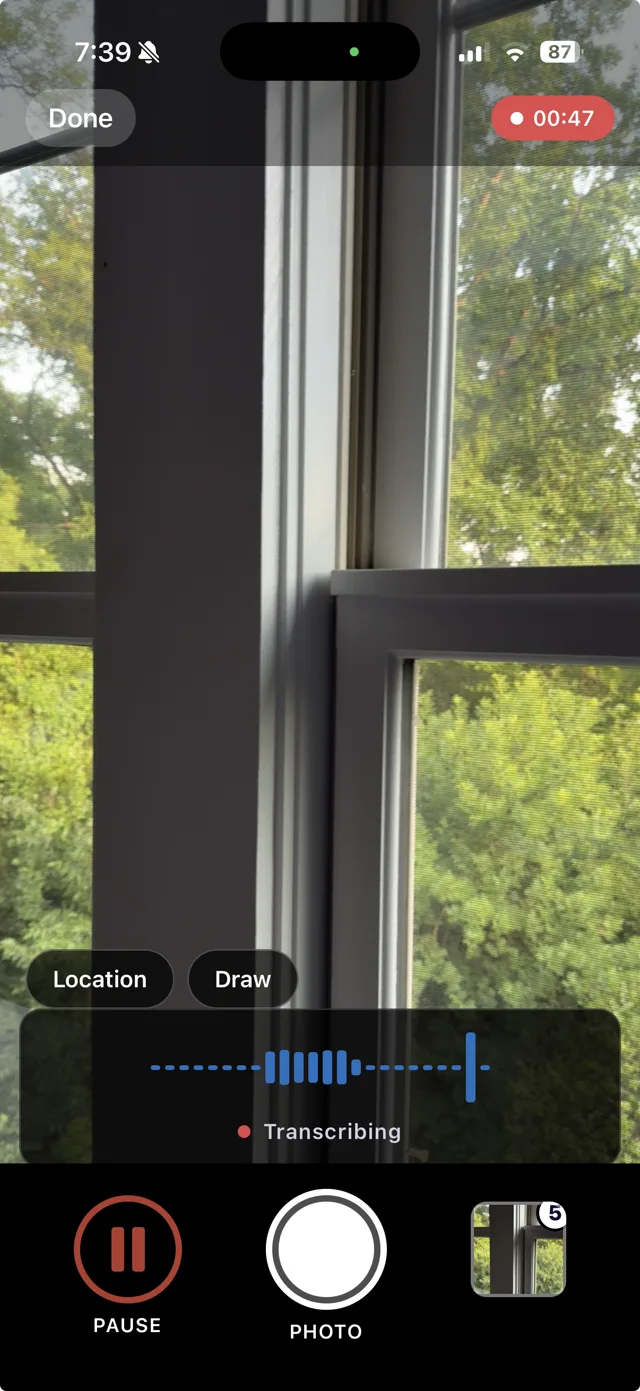
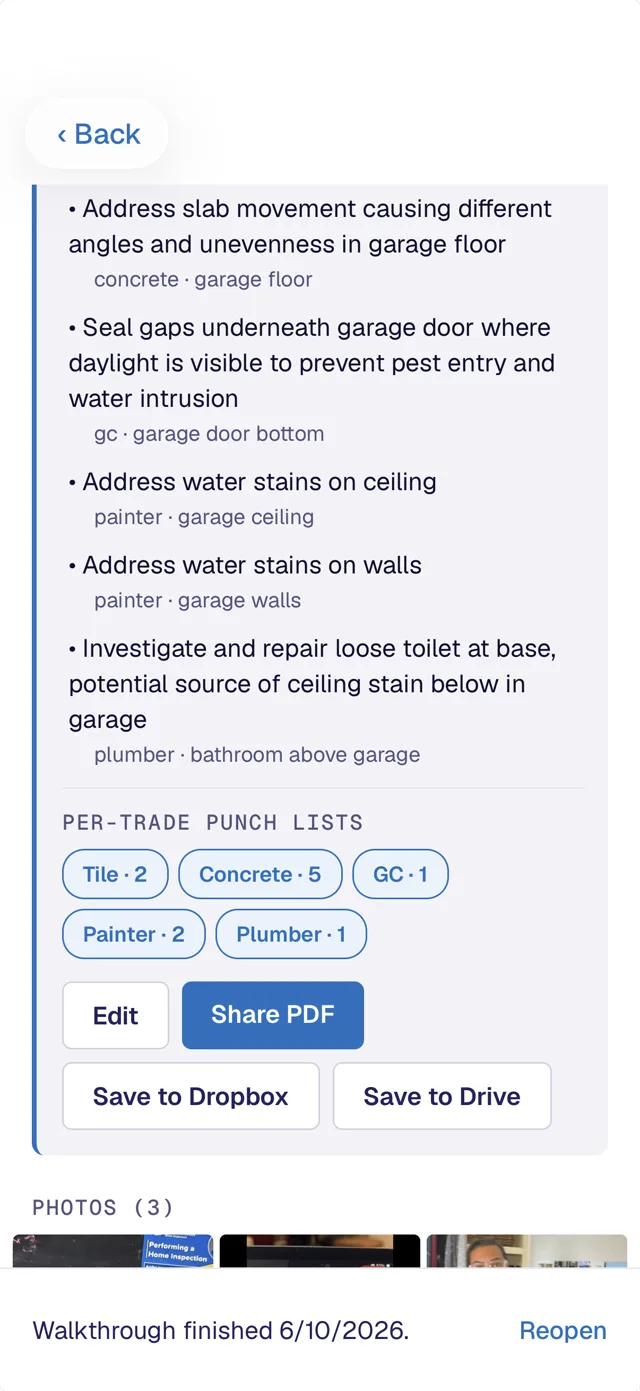
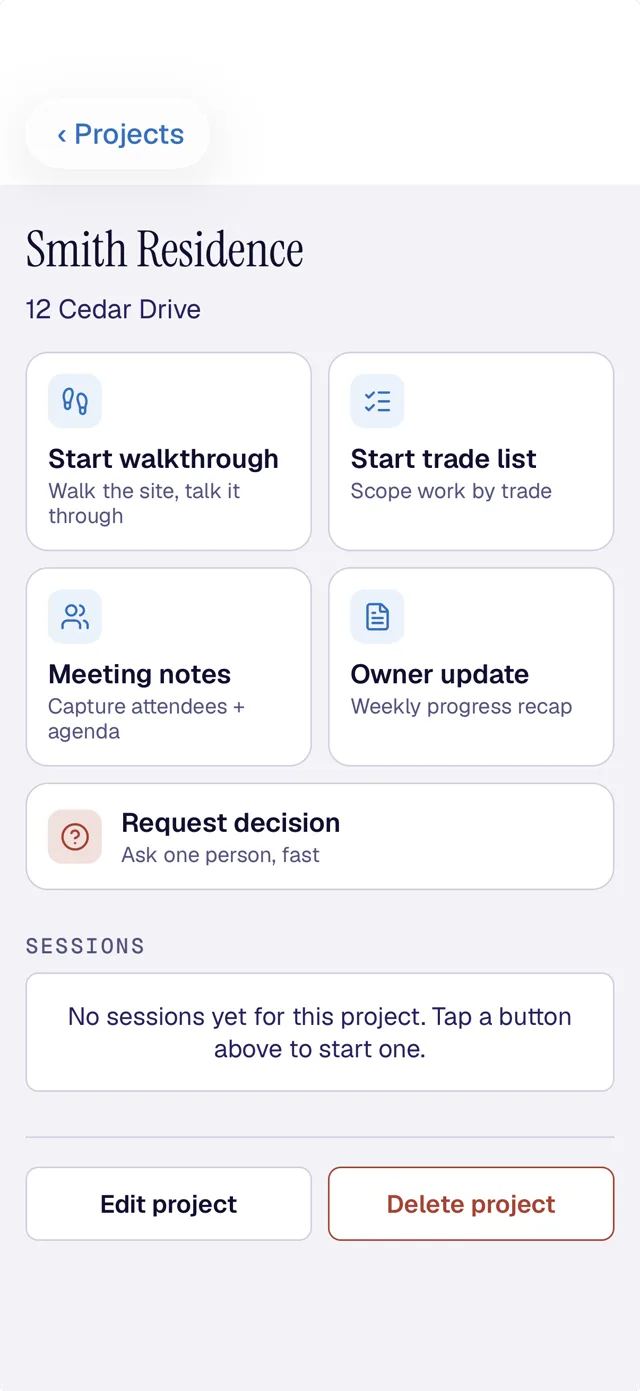
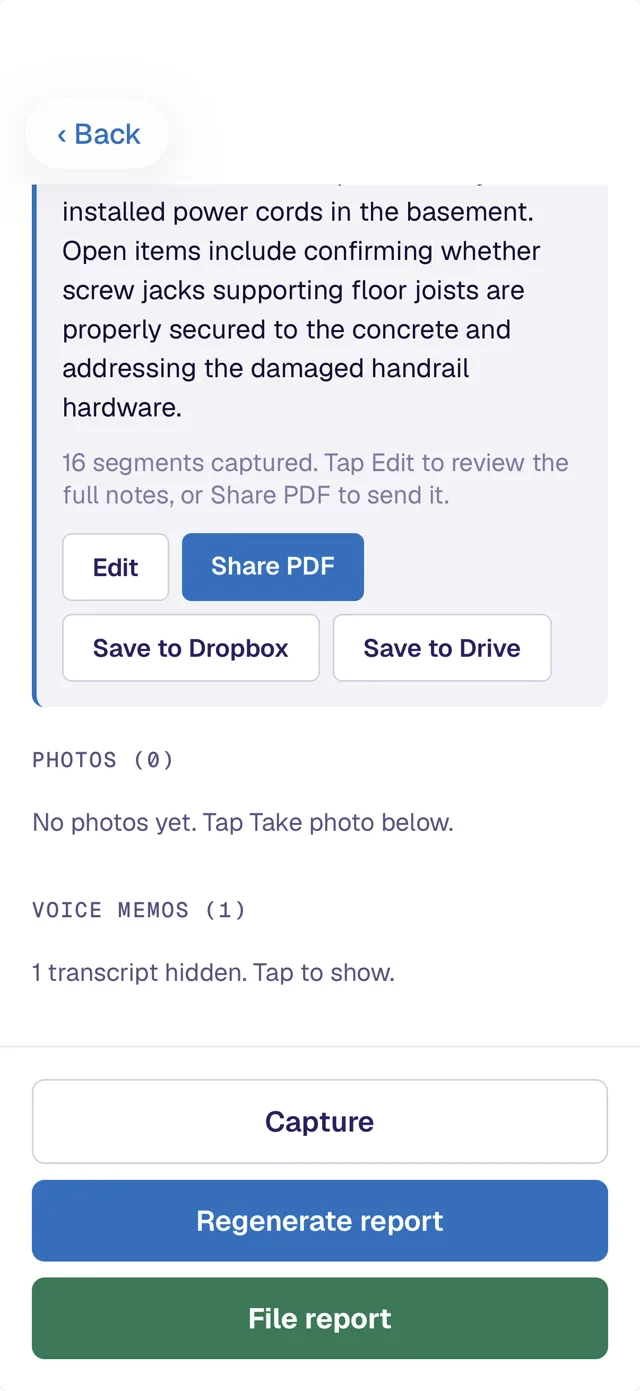
How it works
Three steps. About ten minutes.
Walk
Open the app at a job site. Tap a room. Take photos of what needs to be done.
Talk
Voice memo each item as you walk. "Caulk this seam." "Replace this pull." The app handles the formatting.
Send
Preview the PDF. Edit if you want. Text or email it to your sub from your own phone, in their normal thread.
More than walkthroughs
Six ways to talk it, not type it.
Same app, same idea. Talk instead of type, the app formats it, you send it through normal channels. No portal for anyone.
Walkthrough
Walk the site, talk it through.
Trade list
Scope the work by trade into clear action lists.
Owner update
A weekly progress recap.
Daily log
Talk through your day. Dated, photo-backed.
Meeting notes
Capture attendees, formatted minutes and action items.
Punch list
Walk it, then check items off. Pro plan.
Daily log
The daily log, talked out on the drive home.
Nobody wants to write up the day at six o'clock. Talk it through instead. Walkthrough dates it, pulls the day's weather for that address from the National Weather Service, attaches your photos and builds the PDF. Lose time to weather and you can mark the day a partial or full delay, with a note, the day it happens.
Daily log is on the Standard plan, and it counts as one of your three free reports.
The difference
What makes Walkthrough different.
Your subs don't need accounts.
Reports send from your own phone as a text or email, in the thread your sub already uses. They open the PDF. Done. No portal to learn, no password to forget, no "click here to view."
Photos go to your Drive or Dropbox.
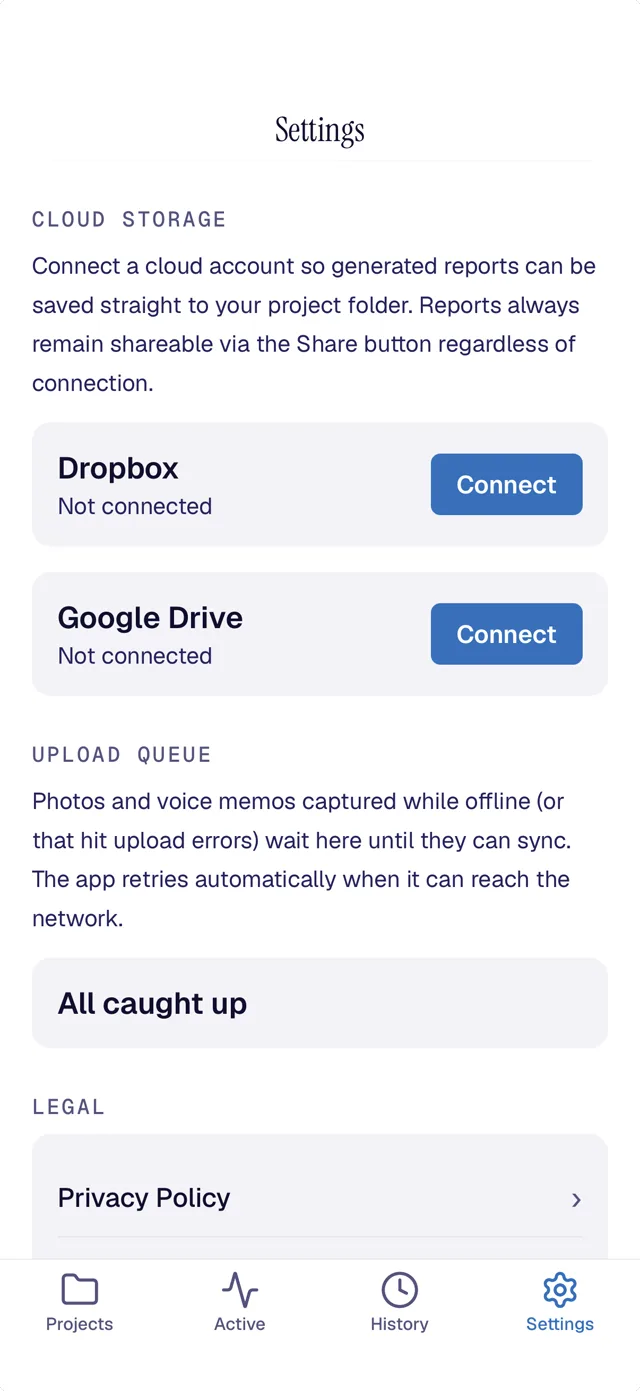
Pictures save straight to your Google Drive or Dropbox, organized by report. Your camera roll stays clean. That bathroom photo from March is in the Cherry Lane Punch Walk folder.
Voice-first, not type-first.
Talk while you walk. The app handles transcription and formatting. Builders are not going to type into a phone on a job site.
You edit before you send.
The AI gives you a starting point. You make it yours. The PDF that goes out is the version you approved, not the version a black box generated.
Proof
See what comes out before you download anything.
This is a real report from a real walk, with the client's details blacked out, next to a web version that reads on your phone. It is the same PDF a sub opens in a text thread. Set your logo, your color and your company name once, and every report carries your brand instead of ours.
Open a real reportOr download the app and look around without signing up. The sign-in screen has "See a sample report" and "Look around first," and neither one asks for your email.
The wedge
The way the field actually works.
Most field-reporting tools want your subs on their platform. Walkthrough wants nothing from your subs except their phone number.
| Other tools | Walkthrough | |
|---|---|---|
| How the sub gets it | An email from noreply@theplatform.com with a "click here to view" link and a sign-up prompt | A text or email from you, with a PDF attached |
| What your sub has to do | Create an account, set a password, remember the login, maybe download an app | Open the text |
| Where your photos live | On the platform's servers, behind their UI | In your own Google Drive or Dropbox, organized by report |
| If the platform shuts down or you switch | You lose access to your photos and reports | Your reports and photos are still in your Google Drive or Dropbox |
Pricing
Two plans. Month to month, no contract.
Standard
or $99.99 a year (about $8 a month)
- Every report type except meeting notes and the punch list
- Walkthroughs, trade lists, daily logs, owner updates
- Unlimited reports
- Speech for site walks runs on your phone
- Photos to your own Google Drive or Dropbox
Pro
or $239.99 a year (about $20 a month)
- Everything in Standard, plus
- Meeting notes: record a meeting, get decisions and action items
- Persistent punch list: a living checklist you reopen every visit, check off, and reshare as it shrinks
Try every feature free. Three full reports, no credit card. The trial is all-access. You only pick a plan after your third report.
Speech for site walks runs on your phone. Meeting notes sends audio to a secure transcription service.
A five-person crew on Standard is about $50 a month. Still less than most platform tools, and your subs never need accounts. Each person has their own seat and signs in with their own email.
Built for
Who it's for.
- Superintendents running daily site checks and punch walks
- Project managers compiling reports after a walkthrough with a homeowner
- Solopreneur builders who need a report to a sub without typing one
- Owner-operators noticing things on site between meetings
- Foremen needing to get a list to a trade quickly
Not built for builders who want to put their subs on a platform. There are tools for that. They're not us.
Questions
Things people ask.
Do my subs need to download anything?
No. They get a text or email from you with a PDF attached. They open the PDF. That's it.
Can I edit the report before it sends?
Yes. Every walkthrough produces a PDF you preview and edit before sending. The AI gives you a starting point. You decide what goes out.
Where do the photos go?
If you've connected Google Drive or Dropbox, photos save there in a folder for that walkthrough. If you haven't, they save in the app and you can connect Drive or Dropbox later to back-fill.
Does Walkthrough do daily logs?
Yes. Talk through the day at the end of it and you get a dated, photo-backed daily log with the weather already filled in and a weather-delay flag if you lost time. It is on the Standard plan.
Where does the weather on a daily log come from?
The National Weather Service, for the address on that project and the date on that log. The report notes when the weather was pulled, and you can edit the line before you send.
Does Walkthrough work on Android?
Yes. Walkthrough is on Google Play and on the App Store. Sign in with the same email on either one and your projects and reports are there.
How does sign-in work? I don't want another password.
You enter your email. We email you a six-digit code. You type it in. You're signed in. No password to remember or reset.
What are the plans and what do they cost?
Two plans, month to month. Standard is $9.99 a user each month, or $99.99 a year, and includes every report type except meeting notes and the punch list, with unlimited reports. Pro is $24.99 a user each month, or $239.99 a year, and adds meeting notes and the persistent punch list. You can move from Standard to Pro anytime.
What if I want to use this with my whole team?
Each person gets their own seat, Standard at $9.99 a month or Pro at $24.99. They sign in with their own email, and reports they send come from their own phone. The subscription handles the seats; there's nothing extra to set up.
Can I try it before I subscribe?
Three free reports to start, with every feature unlocked and no credit card. Use them on any report type you like, meeting notes and punch list included. After the third report, you pick a plan. Before then, no card.
What if I cancel?
Cancel anytime from Settings. You keep what you've paid through that month. If you cancel within the first 14 days and it's not working for you, reply to the welcome email and we'll refund.
Walk one job with it. On the house.
Download it and run three free reports, no credit card, every feature unlocked. On iPhone and Android.