Free primer · no signup required
Claude Cowork, in Plain Language.
What it is, what its pieces do, and how to start using it without committing to anything yet.
10-minute read. Aimed at small business owners.
Or get the PDF ↓This is a primer on Claude Cowork. It assumes you know AI exists and can do useful things, but maybe you've only used it through a chat interface. It explains what Cowork actually is, what its pieces do, and how to start using it on real work in your business without committing to a paid plan or a big setup project on day one.
About ten minutes to read. Aimed at small business owners, especially in the trades and adjacent professions (builders, remodelers, electricians, plumbers, HVAC, landscapers, architects, accountants, lawyers, anyone running a small operation) who want to understand what they're getting into before they jump in.
Josh
Lock Ten Studio
Get the PDF version.
Same primer, in a printable PDF you can read on the train or hand to a colleague. Free, and we don't follow up without your okay.
Prefer email? Write info@lockten.ai and we'll send it.
What Cowork is.
Claude Cowork is Anthropic's workspace for using Claude inside a business. The simplest distinction: a chat interface starts cold every time you open it. Cowork has a workspace that holds your context across conversations. Your files. Your team's instructions. Your custom workflows. Your connections to other tools.
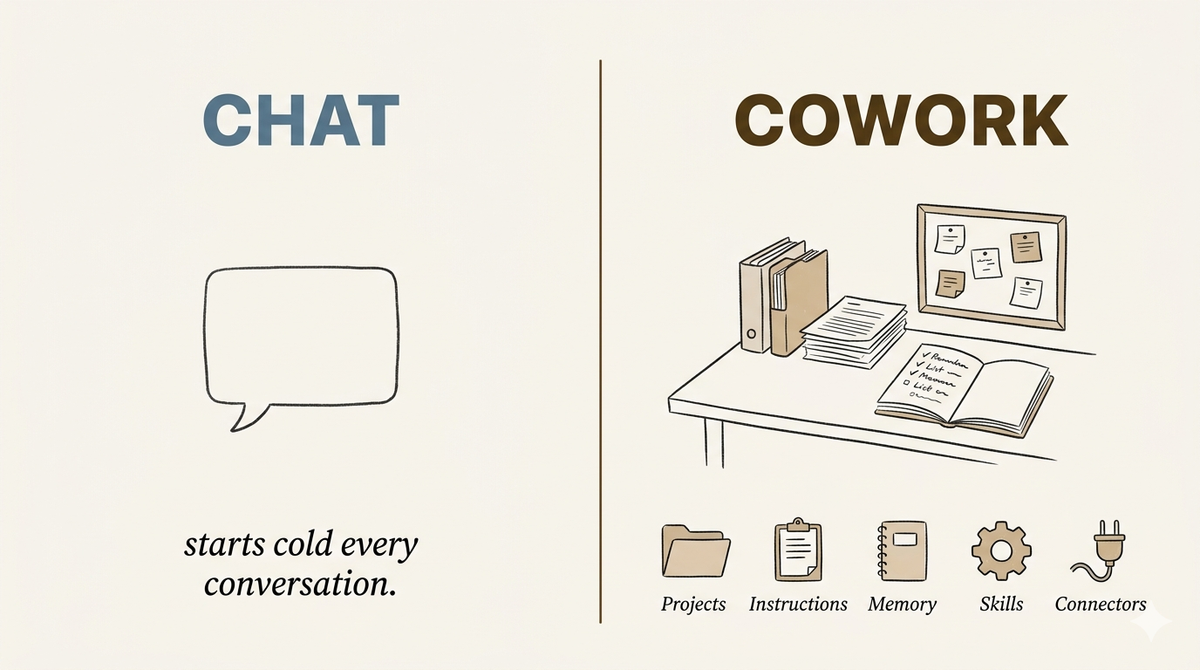
If you've used an AI chat tool before, the comparison is: chat is what you use to ask a quick one-off question. Cowork is what you use to do real work that involves your actual business stuff.
The rest of this primer walks through what's inside Cowork piece by piece. Each piece is one of the things that makes Cowork different from a chat tool. Read it linearly the first time.
Projects
A Project is a folder Claude works inside. You create one for a specific area of your business: an active job, a client engagement, a department, a recurring workflow. You attach the files that matter to that area, plans, contracts, emails, daily logs, photos, anything that lives in your normal file system.
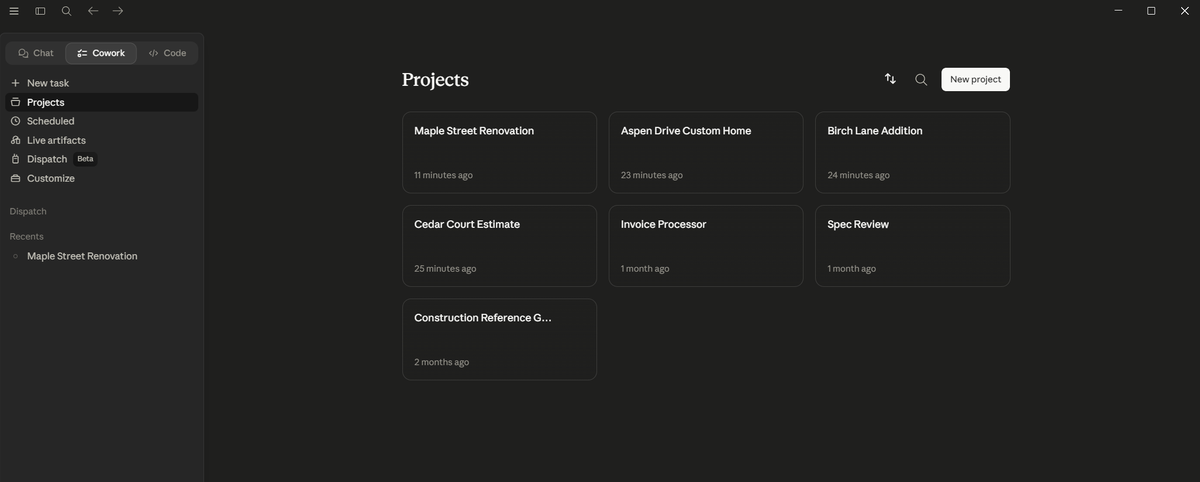
When you ask Claude a question inside that project, it reads the attached files directly. No copy-pasting. No re-explaining the project every time.
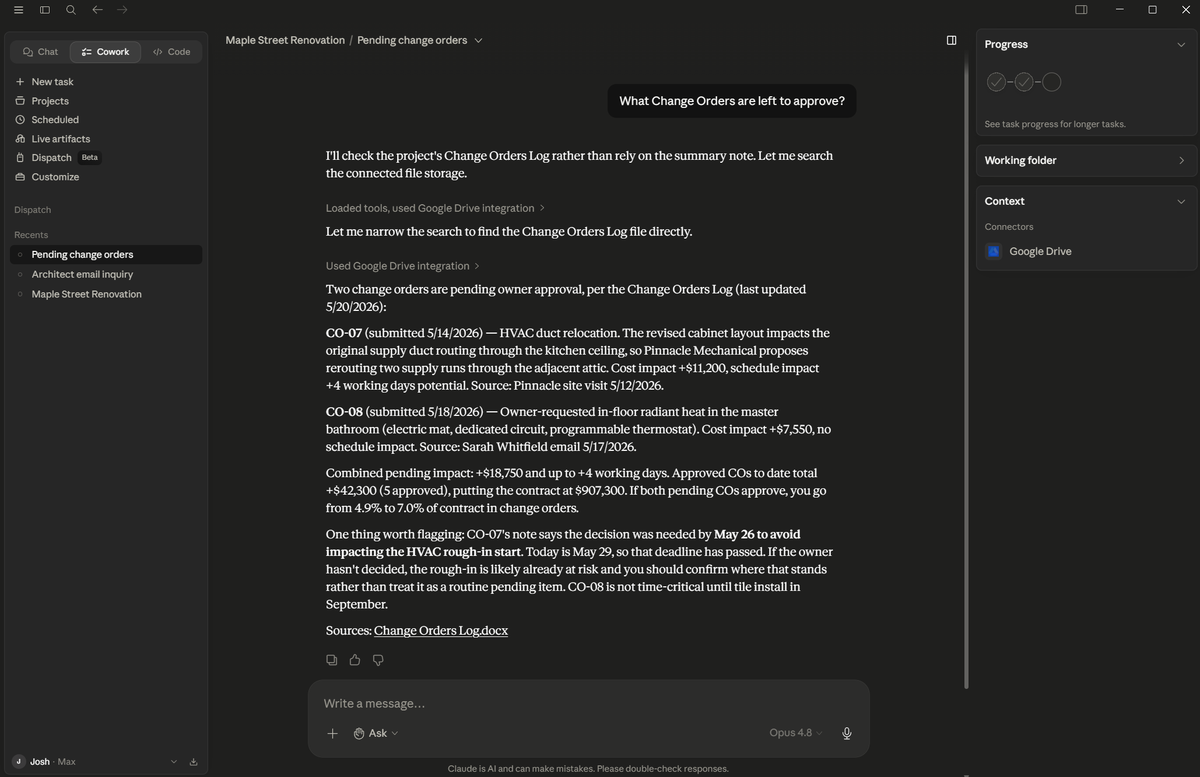
Example: a builder creates a project for their most active build. They attach the latest plans, the original contract, the change-order history, this month's daily logs. Now when they ask "what change orders are still outstanding on this job," Claude reads what's in the folder and answers from the source.
You can have as many projects as you want. Each one has its own scope. Each one keeps its own context.
Instructions
Every project has a standing instructions panel. This is where you tell Claude the rules for this work. Voice, format, what to always do, what to never do.
For a small business owner, the instructions might look like:
Write in our company voice: direct, no jargon, sign off with our company name and phone. When summarizing a meeting or call, use this format: decisions, next actions, open questions. Never invent numbers, dates, or names; if something isn't in the source files, say so.
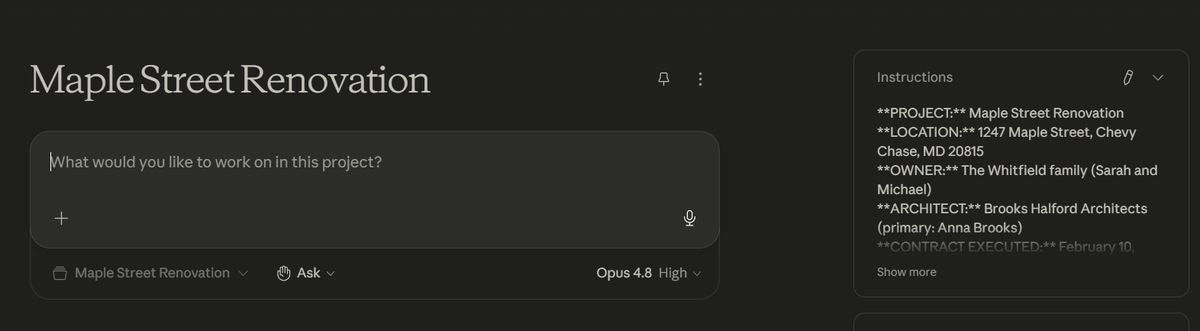
Instructions stay in place across every conversation in that project. You write them once. Claude follows them every time.
Workspace-level instructions also exist (the rules that apply across every project). Per-project instructions stack on top.
Connectors
Connectors are the live links between Cowork and your other tools. Dropbox, Google Drive, OneDrive, Outlook, Gmail, Asana, Slack, GitHub, and a growing list. Once connected, Claude can read from and write to those tools in real time.
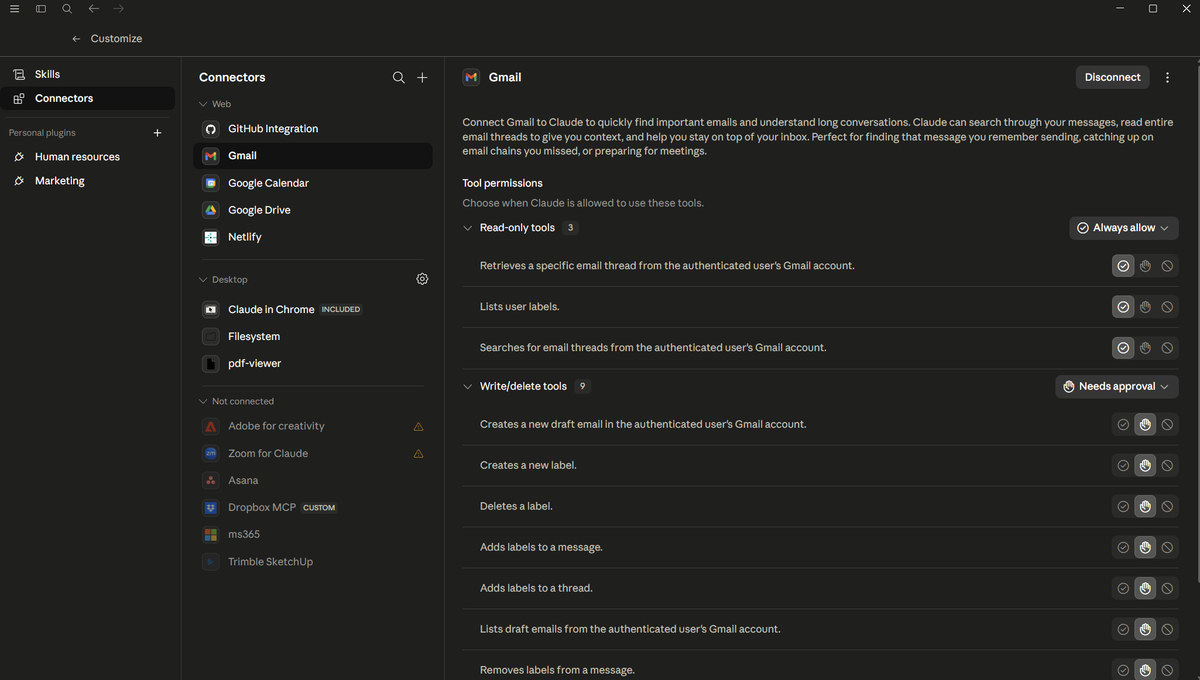
Example: a builder asks "what's the last email from our framer on the addition we started last month?" If Outlook is connected and Claude knows the project context, it pulls the email and summarizes it.
Or: "draft a follow-up to the architect on this scope change and put it in my drafts." Claude writes the draft straight into your Outlook drafts folder. You review and send.
You decide what's connected. You decide what Cowork can see. Start narrow (one folder, one inbox). Expand as you get comfortable.
Memory
Cowork remembers things across conversations. Chat tools forget every conversation. Cowork doesn't.
That means you can tell Claude once: "our standard cost code structure is X. Our framer is Y. Our weekly client update follows this format." Next time you start a new conversation, Claude already knows. You don't have to re-explain who you are or how you work.
Memory is scoped. Information you put in one project stays in that project. Information you put in your workspace instructions is available across all projects. You control what's remembered and what's not.
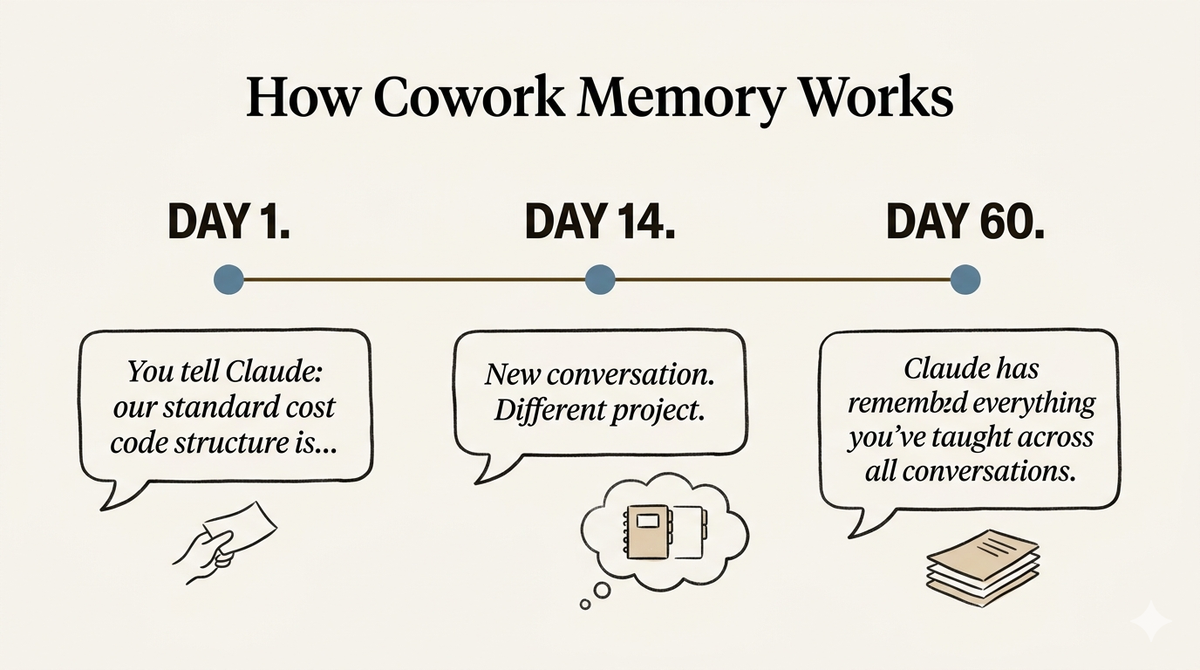
This is the thing that most surprises people when they switch from chat to Cowork. The conversation actually picks up where you left off.
Skills
Skills are reusable workflows. You (or someone like Lock Ten) build them once. They turn a recurring task into a single command.
Example: every week a builder spends 30 minutes processing trade partner invoices. They open the PDF, identify the trade, code it to the cost structure, file it in the right folder, log it in QuickBooks. Same steps every time.
A skill called "invoice processor" packages that whole workflow. The builder drops a PDF invoice into a conversation. The skill runs: extracts the amount, identifies the trade, codes it to the cost structure, drafts the file rename, logs the entry. Two minutes instead of thirty.
Skills can be simple (draft a weekly client update in our voice) or complex (multi-step workflows that touch several connected tools). Once a skill exists, anyone on your team can run it. You can build skills yourself with Claude's help, or buy a package of skills already built for your kind of business.
The Teams Plan.
Cowork's Free and Pro plans are for individuals. The Teams plan is what makes Cowork work for a small business with employees.
On Teams, your whole crew or office staff has individual Claude accounts under a single shared workspace. They see the same projects, the same instructions, the same skills. Each person also has their own personal layer of context (their voice, their sign-off, the slate of work they're responsible for).
Teams is $25 per seat per month. For a five-person business that's $125/month. The unlock is shared context: everyone works from the same baseline understanding of your business, and any skill you build is available to the whole team.
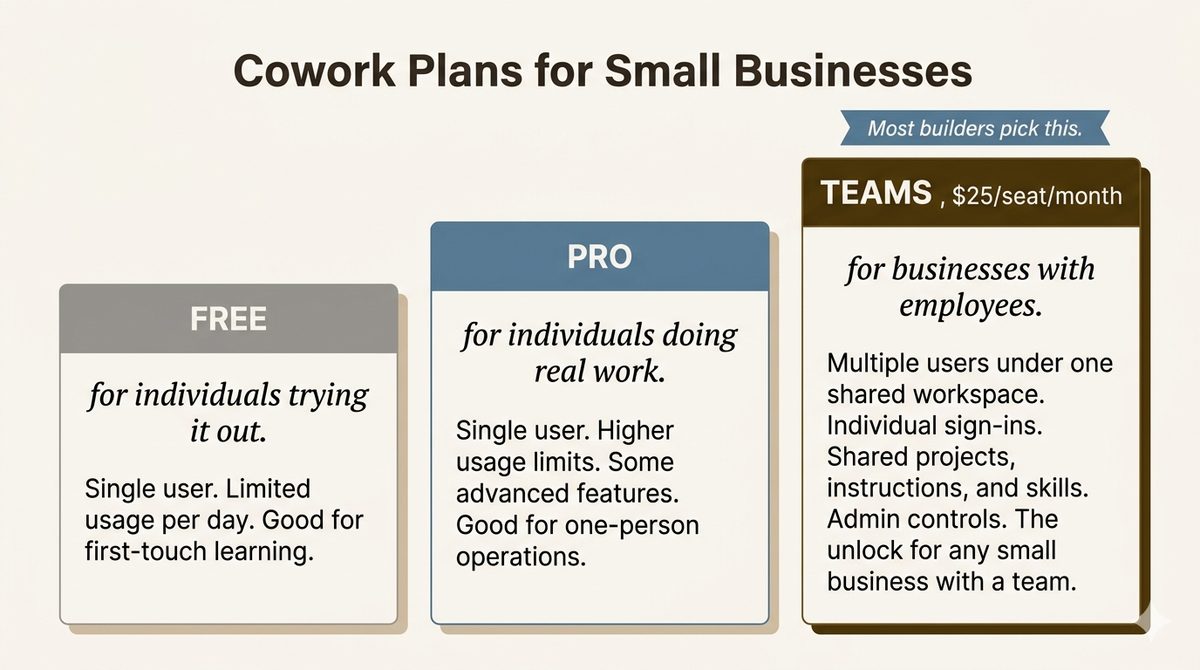
You don't need Teams to try Cowork. Start on Free, see if it works for you. Move to Teams when you bring the team in.
What to try first.
Don't try to set up everything at once. Pick one painful task you've been putting off and do that one thing with Cowork.
- Sign up for Cowork. Free plan is fine to start.
- Open a new project. Name it after something you're actively working on, an active job, a client, a department.
- Attach two or three files that relate to that work. Plans, contracts, recent emails, daily logs. Whatever is painful to keep track of manually.
- Ask Claude a question that requires reading those files. For example: "Summarize the last three emails from the architect on this job." "What change orders are outstanding on this project?" "Draft this week's client update based on the daily logs."
- Iterate. The first answer may miss something. Tell Claude what was wrong. Try again. Real value usually lives in the second or third pass.
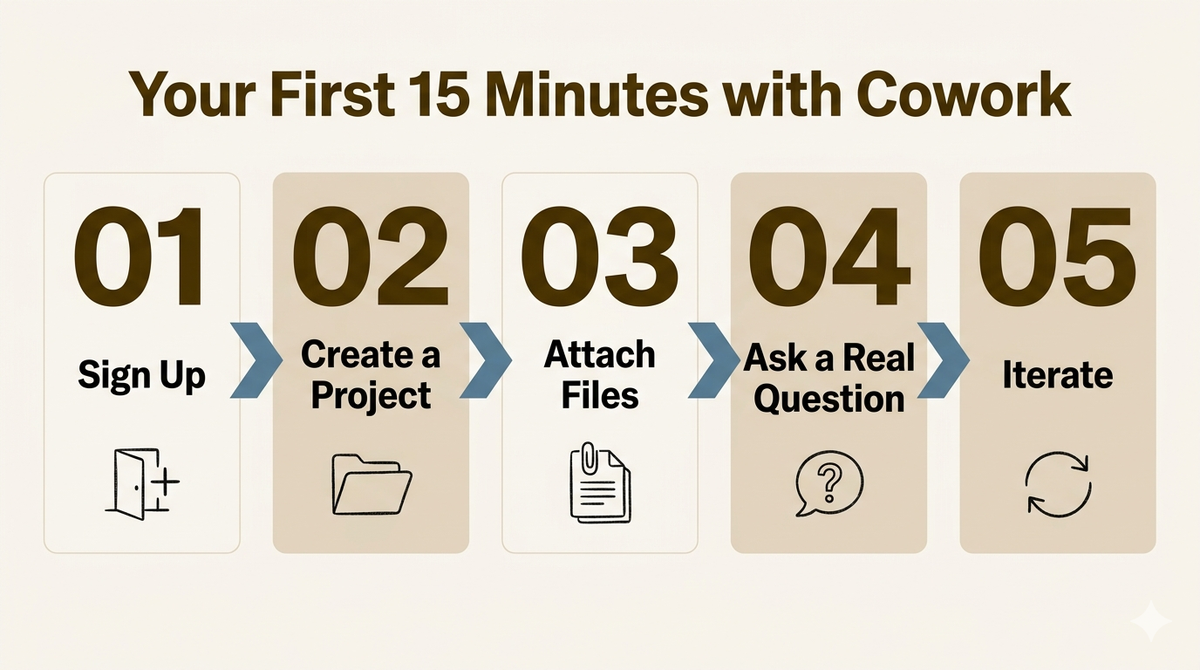
Ten to fifteen minutes of work. Notice the difference from chat. Decide from there whether to invest more time.
Still want the PDF?
Now that you've read it, the PDF is yours if you want a copy to keep or share. One email, no follow-up without your okay.
Free, one email, no follow-up without your okay.
Where to go from here.
If you've read this far, there are a couple of real paths forward for putting Cowork to work in your business. Pick whichever fits.
For the office
You want the workspace set up properly without spending months figuring it out yourself.
Lock Ten Studio's flagship is The Install. We populate the Cowork workspace for your specific business from a short questionnaire: your team, your projects, your voice, your standard files, your skills. The Lite package is free; Plus, built for your specific business, is $499.
See The Install →For the field
You want something simpler. A specific tool for a specific job.
If the painful job is "I'm tired of typing punch lists into a notes app at 11pm and want to send field reports from my phone to my subs in their normal text thread," that's a different Lock Ten Studio product called Walkthrough. No portal for your subs to sign into.
See Walkthrough →Or, neither. If you read the primer, set up your own Cowork workspace, and run with it, that's a great outcome. More small business owners using Cowork well is a good thing for the whole ecosystem. Questions about your specific situation? Email josh@lockten.ai. A real person reads it.